How to Record Tennis Highlights on Your Own
Last updated: September 22, 2026
English · Nederlands · Deutsch · Español · Français
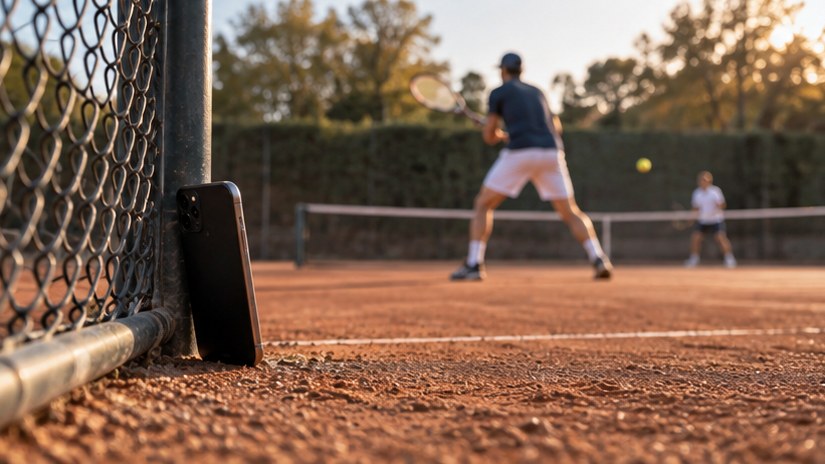
Set your phone on the fence or a bag at the back of the court, open Videotapr, and play. The app buffers the last 30 seconds continuously, so when a rally is worth keeping you tap the screen or swipe up on your watch and it is saved. You do not need a second person filming and you do not need to edit anything afterwards.
Key facts
- A tennis rally usually fits inside 20 seconds; 30 covers long baseline exchanges
- Back of the court gives the most usable angle for singles
- Swipe up on a Wear OS or Apple Watch between points
- Only tapped points are saved — no full-match file
- Works the same for padel, squash and other racquet sports
Free on Android and iOS — 3 clips a day, no account needed.
Where should the phone go for tennis?
Behind the baseline, as high as you can safely prop it, pointed down the length of the court. That angle keeps both players in frame for most rallies and reads well on a phone screen afterwards.
Court-side halfway along the net looks better for individual strokes but loses the far player during cross-court exchanges.
Where to put the phone for tennis
| Position | What you see | What you miss |
|---|---|---|
| Behind the baseline, as high as safe | Both players for most rallies | Detail on individual strokes |
| Court-side at net height | Strokes up close | The far player on cross-court exchanges |
What about serving?
If you want the serve in the clip, use 30 seconds. A first serve, a fault, a second serve and the rally that follows can easily run past 20.
Does this work for other racquet sports?
Yes. Padel, squash and badminton all have the same shape of problem: short, unpredictable moments inside a long session. The clip lengths and the swipe on your watch work identically — only where you put the phone changes.
Try it yourself
Videotapr is free to download for Android and iOS, with 3 clips per day. Pro is a one-time purchase — not a subscription.