Save a Video Clip From Your Smartwatch
Last updated: September 22, 2026
English · Nederlands · Deutsch · Español · Français
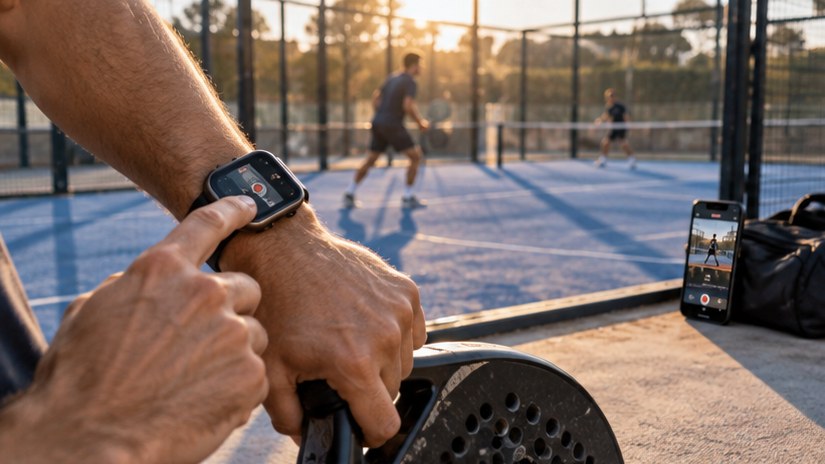
With Videotapr installed on both your phone and your watch, one swipe up on the watch saves the last 10, 20 or 30 seconds of video that the phone already has in its buffer. The phone stays where you propped it and keeps filming; your watch is only the trigger. This works on Wear OS with an Android phone and on Apple Watch with an iPhone. Useful on court, on the touchline at your child's game, and in the garden with the dog — anywhere you do not want to walk over to your phone.
Key facts
- Watch app runs on Wear OS and Apple Watch
- One swipe up saves the clip; if you tag players, the watch then lets you pick who is in it
- The phone does the recording; the watch only sends the signal
- Works while you are playing, coaching, or holding something else
- Same clip lengths as on the phone: 10, 20 or 30 seconds
Free on Android and iOS — 3 clips a day, no account needed.
Why a watch instead of the phone?
Because the phone is doing a job. It is propped up, aimed at the action, and you are not standing next to it. Any capture method that requires you to walk over to it will be abandoned within one session.
A swipe up on your watch costs you nothing. It is a short movement you can make without looking — between points, mid-rally, or while still catching your breath — and the clip is already saved. A tap on the watch only switches the clip length between 10, 20 and 30 seconds.
What happens where
| What | Phone | Watch |
|---|---|---|
| Camera and rolling buffer | Yes | No |
| Signal to save a clip | Yes | Yes |
| Writing the clip to storage | Yes | No |
| Watching and sharing clips | Yes | No |
Do I need my phone nearby?
Within normal Bluetooth range, yes — the watch and phone stay paired the way they normally do. In practice that means the phone can sit anywhere on the same court or field.
If the connection does drop, recording does not stop. The phone keeps buffering and you can still tap on the screen itself; only the swipe on your watch goes quiet for a moment. Once the watch is back in range, saving from the watch works again on its own — you do not have to restart anything and you lose none of the clips you already saved.
What if the watch app does not appear?
The watch app installs alongside the phone app through the store. If it does not show up, the usual fix is to clear the cache of the companion app on your phone and the store app on your watch, then reinstall.
If it still will not appear, get in touch at info@stepfox.com and include which watch model you are on.
Try it yourself
Videotapr is free to download for Android and iOS, with 3 clips per day. Pro is a one-time purchase — not a subscription.